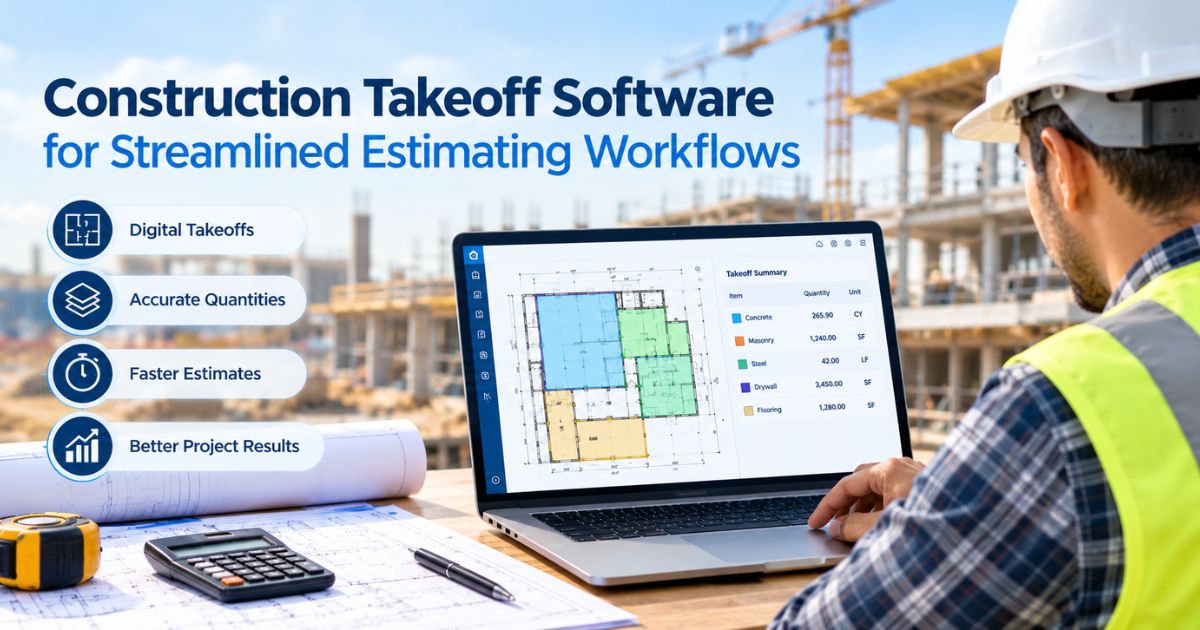
Measuring construction plans by hand can take hours, especially when a project includes several drawings. A missed measurement can also affect material counts and bid costs. Construction takeoff software and tools help estimators measure digital blueprints, record quantities, and organize project data. With the right software, contractors can spend less time on manual tasks and more time reviewing their estimates.
How Does Construction Takeoff Software Help Estimators?
Construction takeoff software helps estimators measure digital drawings and calculate quantities needed for a building project. Instead of printing every page and using a ruler, they can measure lengths, areas, and counts directly on screen.
For example, a contractor preparing a bid for an office building may need to measure floor areas, wall lengths, and other parts of the plans. Digital measurements help the estimator record these quantities before adding material prices and labor costs.
This process also makes it easier to review measurements when project details change. However, software cannot prevent every mistake. An incorrect drawing scale or a missed section can still lead to wrong quantities. Estimators should check the scale, review key measurements, and confirm that the drawings match the project scope.
Key Features That Support Better Estimating Workflows
The best software for your business depends on the drawings you handle and how you prepare bids. Rather than choosing a product based on a long feature list, focus on the tools that solve problems in your daily work.
Useful features include:
- Digital measurement tools: Measure lengths, areas, and counts directly from construction plans.
- Plan markups: Add highlights and notes to help identify important parts of a drawing. Check which markup features the provider currently offers.
- Cloud access: Open project files through a web browser instead of relying on one office computer.
- Excel integration: Work with measurement data in spreadsheets used for quantity tracking and cost calculations.
- Takeoff reports: Organize measurements so you can review quantities before preparing a bid.
- Document storage: Keep project files together and access them within the limits of your subscription.
Construction takeoff tools can help estimators handle these tasks in a more organized way. For instance, an estimator working on several building plans can use digital measurements and reports to keep quantities separate by project. This makes it easier to review the figures and spot missing information before the team prices the work.
Cloud-Based Access and Excel Integration in Practice
Cloud-based software lets users access their work through a web browser. This can help contractors who need to review drawings from different locations instead of depending on one workstation.
For example, an estimator may begin measuring plans at the office and need to check the same project later from another location. Online access can make that task easier, provided the user has a suitable internet connection and the right account permissions.
Stratosphere offers browser-based access, document storage, and Excel integration. Its listed full subscription plans include 100 GB of document storage. These features can help estimators keep project files accessible and connect takeoff work with familiar spreadsheets.
Takeoff construction software can also support the next step in the estimating process by helping users organize measured quantities for review and cost calculations. However, features vary between products. Before choosing a platform, check how it handles file access, reporting, data transfer, and sharing. Also, confirm that any feature your team needs is available now rather than still in development.
A Clear Process for Turning Takeoffs Into Cost Estimates
A takeoff identifies quantities from construction drawings. A complete estimate requires additional steps, including pricing materials, labor, equipment, and other project expenses.
A practical workflow can help keep these tasks organized.
- Review the drawings. Check the scale, dimensions, and project scope before measuring.
- Measure the required items. Record the lengths, areas, or counts needed for the work.
- Check the quantities. Look for missed sections, duplicate counts, and measurement errors.
- Organize the results. Use takeoff reports or supported spreadsheet workflows to arrange the data.
- Add project costs. Apply current material prices, labor rates, equipment costs, and other relevant expenses.
- Review the estimate. Check the calculations before submitting the bid.
Consider a contractor estimating flooring for a commercial space. The takeoff helps determine the floor area, while the estimator uses material prices and other project details to calculate the expected cost. The estimator may also need to account for waste, depending on the material and project requirements.
This distinction matters because accurate quantities support an estimate, but they do not determine the final price on their own.
What Should You Compare Before Choosing Takeoff Software?
Price matters, but it should not be your only concern. A cheaper plan may lack a feature you need, while a more expensive subscription may include tools your team rarely uses.
Before making a decision, compare these factors:
- Features: Does the software support your drawings and measurement needs?
- Workflow: Can you use the reports and Excel integration in your current process?
- Access: Can the right people reach the project files when they need them?
- Cost: Does the subscription fit your budget and expected workload?
- Support: Can you contact the provider when you need help?
- Learning time: Can your team learn the tools without disrupting ongoing projects?
Stratosphere lists a view-only plan at $15 per month, a full monthly plan at $79 per month, and a full plan with a 12-month commitment at $69 per month. The website also advertises a 14-day free trial. Check the current pricing and terms before choosing a plan, as subscription details can change.
A trial can help you test the software with a sample drawing. Measure a few items, review the output, and see how the results fit your estimating process. This gives you a clearer basis for comparison than relying on feature descriptions alone.
Key Takeaways
A well-organized takeoff process starts with clear drawings, careful measurements, and consistent quantity records. Digital tools can reduce manual work, but estimators still need to check their figures and apply the right costs.
Stratosphere by Tally Systems offers construction takeoff software with digital measurement tools, browser-based access, document storage, takeoff reports, and Excel integration. Contractors can review the available features and subscription options to decide whether the platform fits their needs.
Ultimately, construction takeoff software and tools can help construction teams measure blueprints and organize quantities for project estimates. Start by identifying the tasks that slow down your current workflow, then compare software based on its features, cost, and ease of use. Choose a solution that supports your estimating process and helps your team work through each project with greater clarity.
Frequently Asked Questions
Q1: What does construction takeoff software do?
Construction takeoff software measures digital blueprints, calculates quantities, and organizes project data to help estimators prepare accurate construction cost estimates.
Q2: Can construction takeoff software reduce measurement errors?
Yes, digital tools can reduce manual measurement work, but estimators must still verify drawing scales, quantities, and project details.
Q3: Does construction takeoff software calculate total project costs?
Not always. Takeoff software calculates quantities, while a complete estimate also requires material prices, labor rates, equipment costs, and other expenses.
Q4: What features should you look for in construction takeoff software?
Look for digital measurements, plan markups, takeoff reports, cloud access, Excel integration, document storage, and features that fit your workflow.
Q5: How much does construction takeoff software cost?
Prices vary by provider and plan. Stratosphere lists subscriptions from $15 monthly for view-only access, with full plans costing more.



Omega
This is a paragraph.It is justify aligned. It gets really mad when people associate it with Justin Timberlake. Typically, justified is pretty straight laced. It likes everything to be in its place and not all cattywampus like the rest of the aligns. I am not saying that makes it better than the rest of the aligns, but it does tend to put off more of an elitist attitude.
Leave a Reply